Software for hairdressers and salons
StudioReminder helps salons better manage their schedule with automatic reminders, periodic reminders and quick communications for cuts, colors and treatments.
A more orderly flow between recurring appointments and holes in the agenda
In the salon we work with tight deadlines, close slots and customers who often return on a regular basis. When the pace of the salon increases, one oversight or missed confirmation is enough to leave gaps that are difficult to recover. A hairdressing appointment software must therefore help you first of all to protect your working day.
With StudioReminder you manage your digital agenda, send automatic reminders via WhatsApp or email and keep your relationship with regular customers more orderly. The practical result is simple: fewer forgotten appointments, less time spent writing manually and more continuity in calls for cuts, colours, styling and treatments.
In addition to individual appointment reminders, you can use multiple communications to send seasonal promos, salon news, special days or last minute availability. Everything remains in the same operational flow, without switching between agenda, external sheets and separate chats.
WhatsApp integrated
You schedule the appointment and the customer receives the message automatically the day before.
Recalls for regular customers
Useful for periodic cuts, color, styling and services that return over time.
Periodic messages
Send multiple communications for promos, news or availability of new slots.
Reminder flow for salons and hairdressers
All the steps in the reminder area, from configuration to customer confirmation.
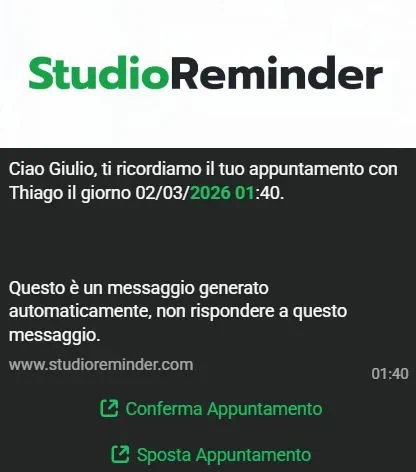
Personalize your reminder
You can customize it by creating your own web page from your account.
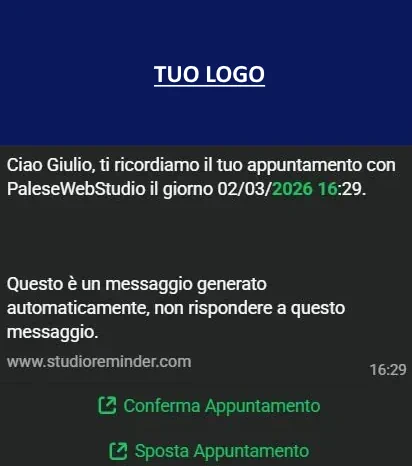
Sending automatic reminders
StudioReminder sends the reminder automatically.
Confirm or reschedule your appointment
The customer confirms or asks to move their appointment.
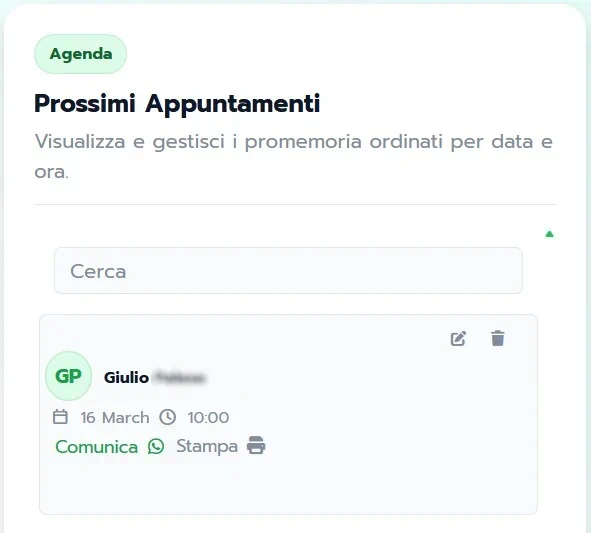
Check the status of the reminder
From your reminder area you can check if the customer has read the message and confirmed the appointment.
How StudioReminder really helps you in daily management
In the salon the problem is not just making appointments, but keeping them orderly over time. Those who manage repeat customers know how useful it is to remember when they come back for color, cut or a scheduled treatment. If this work remains manual, it often ends up at the end of the day and becomes discontinuous.
With a digital planner and automatic reminders you can relieve this part. The software helps you follow the salon calendar without having to write the same messages every time. For those who work at a tight pace, this means recovering operational time and reducing the risk of slots lost due to missing confirmations.
Furthermore, multiple communications become a useful lever not only for marketing, but also for practical management. If you want to announce a promotion, open an extra time slot, or reconnect with customers who haven't been back in a while, you can do it from a single dashboard, with a simpler, more consistent flow.
Frequently asked questions about hairdressing software
Is StudioReminder suitable for salons with multiple operators?
Yes. You can use StudioReminder to keep your salon diary tidy even when multiple operators are working, with appointments and reminders in the same flow.
Can I send automatic WhatsApp reminders to salon clients?
Yes. After scheduling the appointment, the system can send automatic reminders via WhatsApp or email before the service.
Can recalls be scheduled for cut, color or recurring treatments?
Certain. You can set up periodic reminders to bring back regular customers who perform recurring services.
Can I use multiple communications for promos or last minute slots?
Yes. With multiple mailings you can quickly inform multiple customers about promotions, salon news or remaining availability.
Google Calendar and Outlook connected in one flow
Learn more about integration, use cases and operational processes to reduce errors, duplicates and no-shows.
Complete synchronization guide
Complete overview of two-way synchronization between StudioReminder, Google Calendar and Outlook.
Open the complete guideGoogle Calendar integration
Connect your calendar and appointments to Google Calendar with continuous synchronization.
See Google integrationOutlook Calendar integration
Manage Outlook calendar and appointments from the same operational flow.
See Outlook integrationAvoid double bookings
Practical strategies to avoid overlaps between internal agenda and external calendars.
Read moreAlign your practice agenda and external calendars
Operational method for keeping appointments, changes and cancellations aligned.
Read moreCase study with real results
Concrete data on no-shows, management times and error reduction with active synchronization.
Read case studyBring reminders, agenda and automatic reminders to your salon
If you want fewer no-shows, more continuity with regular customers and less manual management, you can try StudioReminder for free and immediately see how it adapts to your salon.