Appointment software with digital calendar
StudioReminder’s Calendar brings appointments, rescheduling and availability into one clear view on desktop and mobile.
Calendar screen
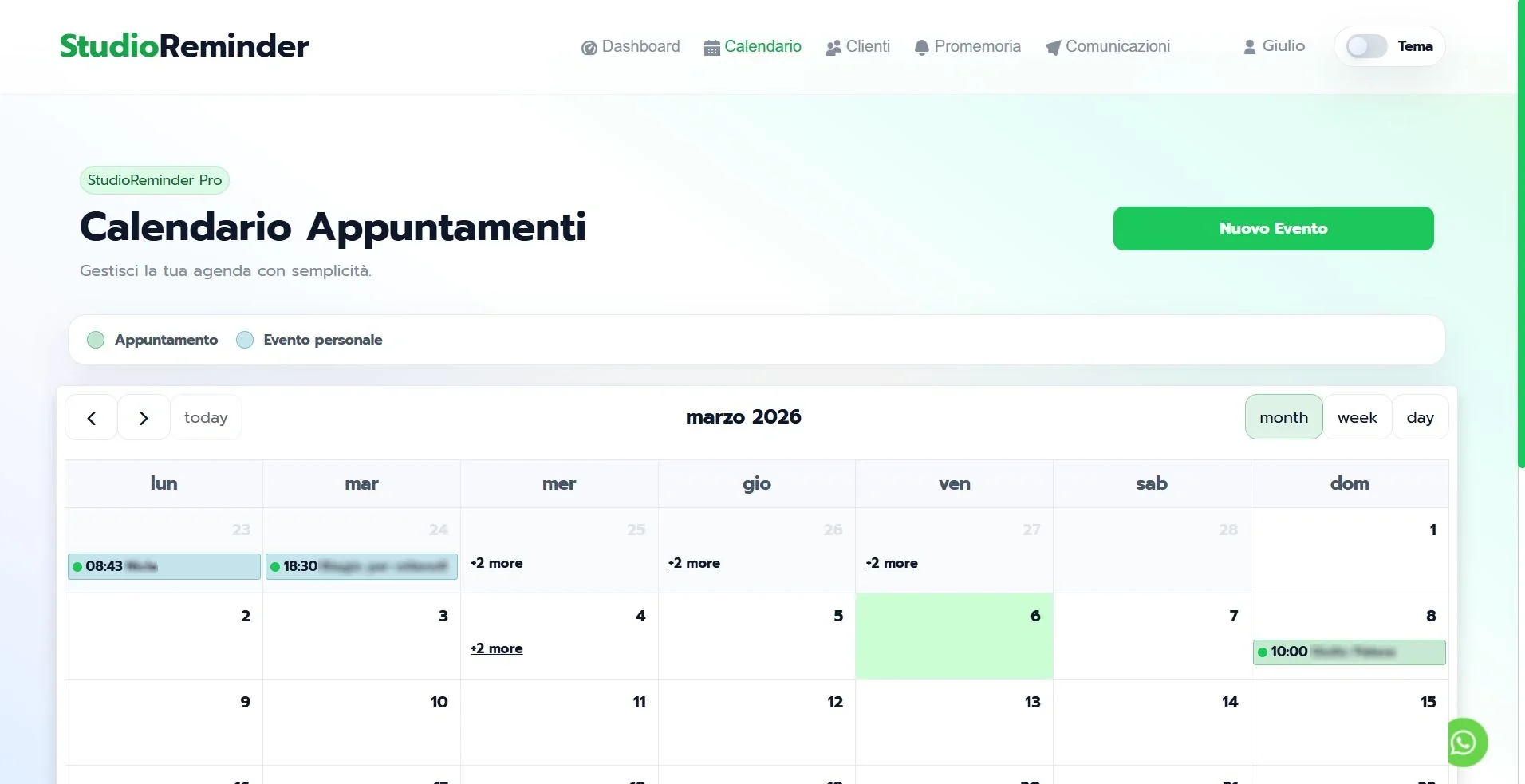
Calendar view with appointments, rescheduling and operational status in one panel.
A single view for the whole day
When your calendar is fragmented across sheets, chats, and notes, each change requires extra steps and increases the risk of error. With StudioReminder you work on a single digital diary and keep track of all the day's appointments.
The calendar is designed for daily operations: see timetables, status of appointments and rescheduling immediately. This helps you make quick decisions, especially in times when sudden changes come.
For those looking for concrete appointment software, the calendar function is the point from which the organization starts: less confusion, less overlap and more continuity in the workflow.
Automatically send before slot
Connect agenda and reminders in a single operational flow.
See reminderPeriodic messages to customers
Multiple and recurring mailings for updates, promos and follow-ups.
See communicationsPersonal data and history
From the calendar open the customer card and maintain complete context.
See customer managementBecause the calendar is the center of the appointment software
A useful digital calendar doesn't just show times: it shows context. On a real day you have to immediately understand who is arriving, which slots are in the balance and where you can make up time when appointments are rescheduled. When this visibility is missing, work becomes reactive and last-minute micro-decisions accumulate. With clear vision, however, you can anticipate problems and better manage operational priorities.
The value increases when the calendar talks to reminders and customers. If the confirmation gets into the right flow, the agenda becomes more reliable. If a change is recorded immediately, the whole team works on the same data. This reduces communication errors and limits time wasted between calls, chats and external notes.
For this reason, the calendar function is not just an extra screen: it is the organizational basis of the appointments software. It allows you to move from fragmented management to an orderly, continuous and easier to maintain process over time.
Bring customer requests directly to the agenda
From the public page the customer chooses an available range; you check the request before turning it into an appointment.
Receive appointment requestsGoogle Calendar and Outlook connected in one flow
Learn more about integration, use cases and operational processes to reduce errors, duplicates and no-shows.
Complete synchronization guide
Complete overview of two-way synchronization between StudioReminder, Google Calendar and Outlook.
Open the complete guideGoogle Calendar integration
Connect your calendar and appointments to Google Calendar with continuous synchronization.
See Google integrationOutlook Calendar integration
Manage Outlook calendar and appointments from the same operational flow.
See Outlook integrationAvoid double bookings
Practical strategies to avoid overlaps between internal agenda and external calendars.
Read moreAlign your practice agenda and external calendars
Operational method for keeping appointments, changes and cancellations aligned.
Read moreCase study with real results
Concrete data on no-shows, management times and error reduction with active synchronization.
Read case studyOrganize your agenda with clearer appointment software
Try StudioReminder for free and see how your daily management changes when your calendar, reminders and clients remain in the same environment.