Customer management program: customer profile and history
Customer management program: personal data, appointment history and follow-up in a single work flow.
Customer management program screen
View of the Customers section with registry, appointment history and centralized operational information.
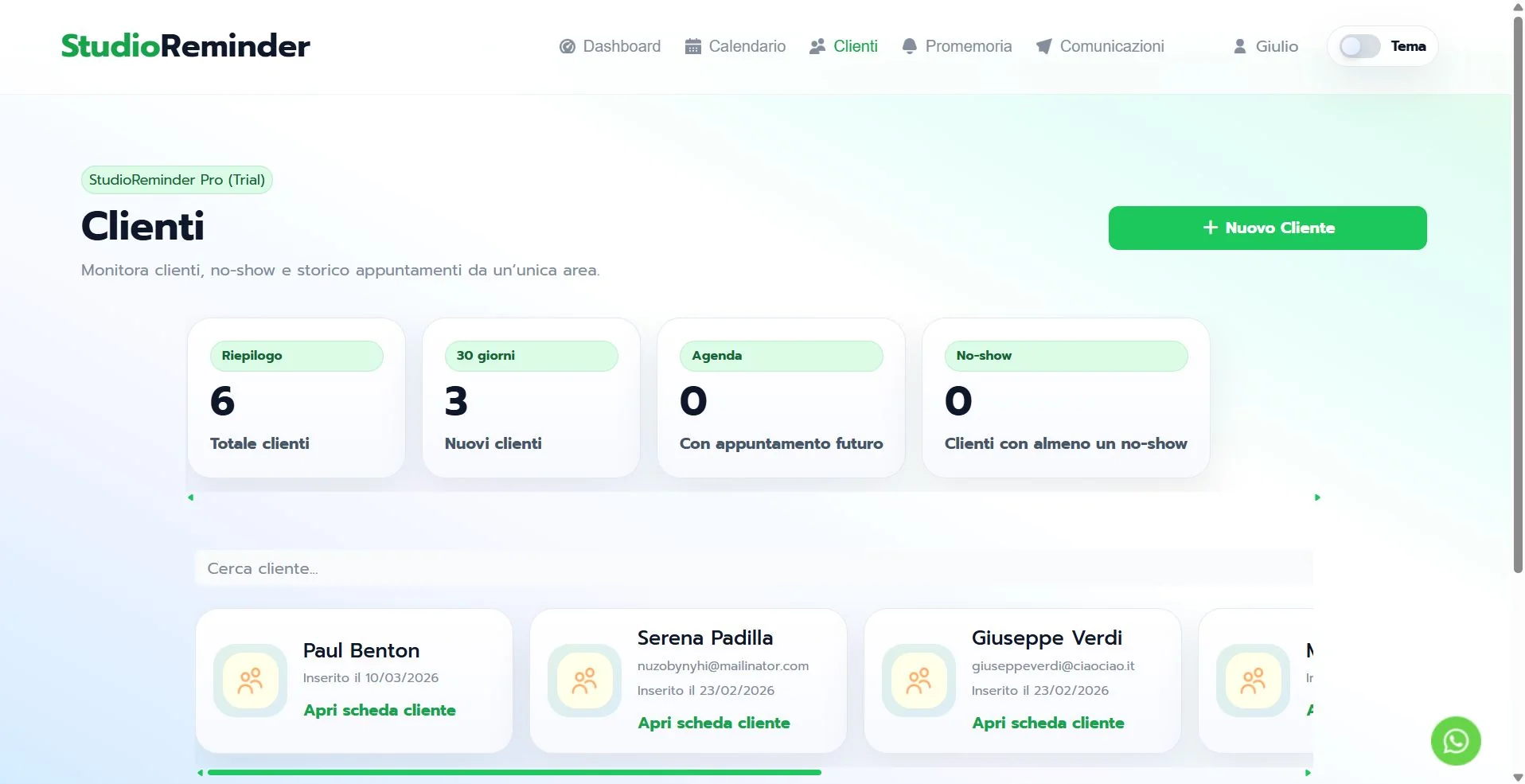
All the information where you really need it
When customer data is scattered across the calendar, chat and external sheets, each appointment requires extra time just to reconstruct the context. With StudioReminder you centralize essential information in a single and always updated tab.
Inside the same area you will find appointment history, communications and operational status. This makes it easier to prepare the next contact, set up a follow-up and maintain consistency between business activity and agenda management.
With a customer management program you work continuously: less dispersed information and more control over relationships over time.
Send before the appointment
From the customer you go to automatic reminders without leaving the flow.
See reminderConsistent planning
Customer information is immediately reflected in diary management.
See calendarMore effective segmentation
With customer data you send more relevant and less generic messages.
See communicationsCustomer management program: from data to the next step
Keeping your customers in order isn't just about having a contact list. It means quickly understanding history, needs and the next operational step. If this information is distributed across different tools, each interaction takes extra time and increases the risk of errors. Customer management integrated into the appointment software eliminates this friction, because it concentrates the data where it is really needed.
The customer card becomes a decision point: you can see what has happened, what is scheduled and when it is best to intervene. This is useful for follow-up, periodic reminders, and building more relevant communications. Even in small tasks the benefit is felt immediately, because it reduces the mental load linked to memory and manual steps.
In practice, a customer management program improves both internal efficiency and the perception of the service: the customer receives more continuity, while the team works with a clear history and with actions that are easier to plan.
Google Calendar and Outlook connected in one flow
Learn more about integration, use cases and operational processes to reduce errors, duplicates and no-shows.
Complete synchronization guide
Complete overview of two-way synchronization between StudioReminder, Google Calendar and Outlook.
Open the complete guideGoogle Calendar integration
Connect your calendar and appointments to Google Calendar with continuous synchronization.
See Google integrationOutlook Calendar integration
Manage Outlook calendar and appointments from the same operational flow.
See Outlook integrationAvoid double bookings
Practical strategies to avoid overlaps between internal agenda and external calendars.
Read moreAlign your practice agenda and external calendars
Operational method for keeping appointments, changes and cancellations aligned.
Read moreCase study with real results
Concrete data on no-shows, management times and error reduction with active synchronization.
Read case studyManage customers in an orderly manner with a customer management program
Try StudioReminder for free and build a more solid flow between client records, agenda and periodic communications.